
WELCOME TO ASK THE SAMURAI
Know Japan better. Enjoy Japan more.
Turn “What should I do?” into “Let’s try it.”
For visitors, residents and anyone curious about Japan. Explore the reasons behind etiquette, cultural context, food and days out through friendly explanations and illustrations.

EXPLORE YOUR WAY
What would you like to know?
Start with what you need. There is no need to read everything in order.
Browse food & restaurants →HOW TO USE
Follow the screen, one step at a time
These are cropped screenshots of the real desktop site. Red numbers and outlines mark the controls. Look for the same labels on your phone. Tap an image to enlarge it.
STEP 01
Find a guide with a few words
Start with the search field on the homepage.
- Type a short term such as “Kyoto” or “sushi”. The guide list filters as you type.
- Press the magnifying glass, Search or Enter, then choose an article title in the results.
 12
12No match? Try a shorter term. Use “Clear” to reset the search, or browse by category.
STEP 02
Read the essentials, then open the details
Tap a card in an article’s “Key points” to jump to its explanation.
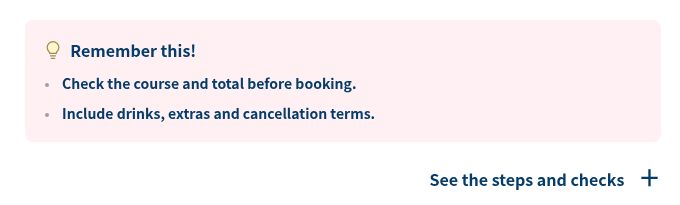
- Read “Remember this!” for the practical takeaways. The explanation above gives reasons and exceptions.
- Tap the + detail control to expand the extra information, then tap again to close it. In this example it is labelled “See the steps and checks”. Frequently asked questions work the same way.
 12
12On phones and desktops, read from the introduction down into the article. On desktop, each section’s image and explanation sit side by side.
STEP 03
The same guide, in Japanese or English
Choose your preferred language at the top of the page.
- Tap “日本語” or “English” in the header.
- The same guide opens in the other language. If you used a key-point card to reach a section, its section link is carried over.
 1
1This does not preserve the exact scroll position. Without a section link, the other version opens at the top.
STEP 04
Save a guide for another visit
Use the button above an article to keep its link handy.
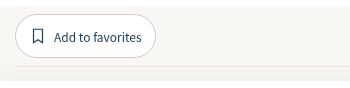
- Tap “Add to favorites”. “Saved to favorites” confirms it is saved. Tap again to remove it.
- Open “My Page” above the article or in the menu, then choose a saved guide.
 1
1Favorites save article links. They do not download articles for offline use or manage bookings.
STEP 05
Return to something you just read
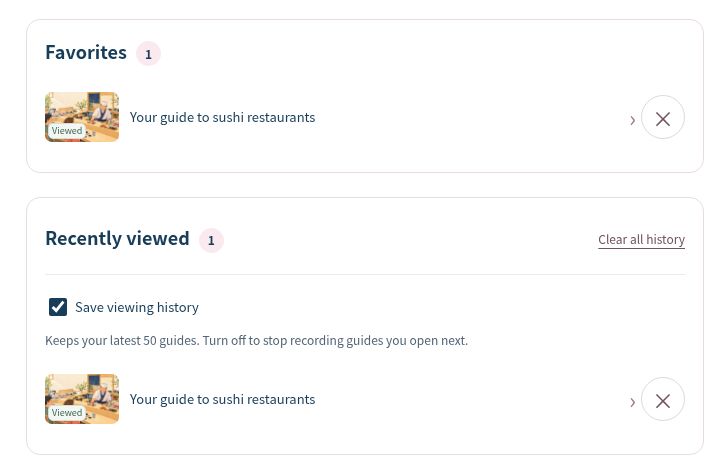
My Page brings Favorites and Recently viewed together.
- Select an article title in “Recently viewed” to open it again. Your latest 50 guides are kept.
- Turn “Save viewing history” off to stop recording future reads. To remove existing history, choose “Clear all history” and review the confirmation.
 12
12No login is needed. Lists stay in this browser on this device and do not sync across devices. Clearing browser data removes them; private browsing may erase them when the session ends. Saving requires JavaScript.
YOUR NEXT DISCOVERY
Now, find your own Japan.
Food, experiences and a good walk. Follow what interests you.
Find your way to enjoy Japan